





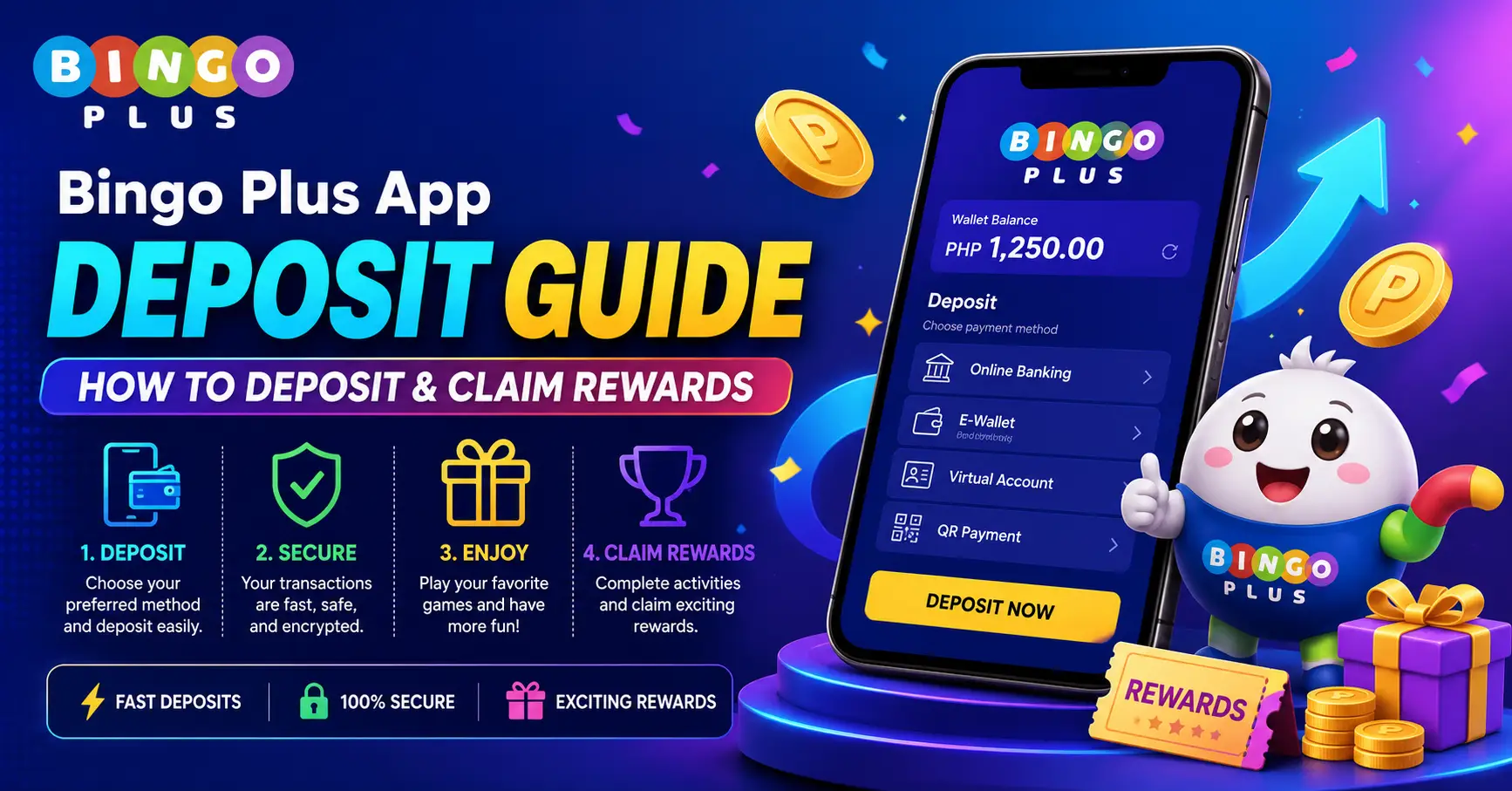
The Bingo Plus App deposit process is one of the most searched topics among new and existing users who want to access promotions, bonuses, cashback rewards, and platform features. Many users look for a simple guide that explains how to deposit funds, which payment methods are available, and how to qualify for deposit-related rewards.
This tutorial provides a complete Bingo Plus App Deposit Guide, including deposit steps, eligibility requirements, reward opportunities, processing timelines, and important account considerations. Understanding the correct deposit process can help users avoid delays and maximize available promotional benefits.
Promotion and Deposit Overview
What Is the Bingo Plus App Deposit Feature?
The deposit feature allows eligible users to add funds to their account through supported payment methods. Deposits are often required for participation in selected promotions, cashback campaigns, and bonus programs.
Many users search for deposit guides because promotional rewards are frequently linked to qualifying deposits.
Common Benefits Associated With Deposits
Depending on the active campaign, deposit-related rewards may include:
- Welcome bonuses
- First deposit rewards
- Cashback incentives
- VIP promotions
- Loyalty bonuses
- Seasonal campaigns
- Event-exclusive rewards
- Referral-related incentives
- Click to spin for free and win the ultimate prize!
Reward availability varies by promotion.
Who Can Make a Deposit?
Eligibility generally requires:
- A registered account
- Successful login
- Account verification
- Compliance with platform rules
- Access to a supported payment method
Users should verify account information before depositing funds.
Detailed Deposit Steps
Follow these steps to complete a deposit successfully.
1. Log Into Your Account
Open the Bingo Plus App and sign in using your registered account credentials.
Ensure your account is active and accessible.
2. Navigate to the Deposit Section
Locate the Wallet, Cashier, or Deposit option within the account dashboard.
Select the deposit menu to continue.
3. Choose a Payment Method
Available payment methods may vary by region.
Common options can include:
- E-wallet services
- Online banking
- Mobile payment platforms
- Digital payment providers
- Other approved methods
Select the preferred option.
4. Enter the Deposit Amount
Specify the amount you wish to deposit.
Review any minimum or maximum deposit requirements displayed on the screen.
5. Confirm Payment Information
Carefully review the payment details.
Verify account numbers, transaction amounts, and payment instructions before proceeding.
6. Complete the Transaction
Follow the payment instructions provided by the selected payment method.
Submit the transaction and wait for confirmation.
7. Check Deposit Status
After payment completion, review your wallet balance.
Most deposits are processed according to the timelines specified by the payment provider.
8. Verify Reward Eligibility
If the deposit qualifies for a promotion, visit the Promotions Center.
Check whether a deposit bonus, cashback reward, or campaign incentive has become available.
9. Claim Eligible Rewards
Some promotions require manual activation.
Follow any instructions displayed within the reward or promotions section.
10. Monitor Account Notifications
Keep track of account alerts and reward updates.
Notifications often provide information regarding deposit verification and bonus processing.
Deposit Rules and Important Notes
General Deposit Requirements
Users should understand the following:
- Deposits may have minimum requirements.
- Certain payment methods may have restrictions.
- Verification may be required before transactions.
- Promotional eligibility may vary.
- Processing times can differ between payment providers.
Always review platform instructions before submitting a payment.
Bonus and Cashback Eligibility
Deposit-related promotions may require:
- A qualifying deposit amount
- Participation within a campaign period
- Account verification
- Promotion activation
- Compliance with campaign conditions
Failure to meet requirements may affect reward eligibility.
Processing Time Considerations
Deposit processing may depend on:
- Payment method used
- Verification status
- Banking schedules
- System maintenance periods
Most successful transactions appear within the expected processing timeframe.
Important Security Tips
Users should always:
- Protect account credentials.
- Verify payment information.
- Use authorized payment methods.
- Review transaction history regularly.
- Contact support regarding unusual activity.
Security awareness helps protect account access and funds.
Frequently Asked Questions
1. How do I make a deposit on Bingo Plus App?
Yes, users can deposit funds through the Wallet or Deposit section after selecting a supported payment method.
2. Do I need a verified account before depositing?
Yes, some payment methods and promotions may require account verification.
3. What payment methods are supported?
Supported payment methods vary by region and may include e-wallets, online banking, and digital payment providers.
4. Is there a minimum deposit amount?
Yes, minimum deposit requirements may apply depending on the selected payment method or promotion.
5. How long does deposit processing take?
Most deposits are processed within the timeframe specified by the payment provider and platform guidelines.
6. Can I receive a bonus after depositing?
Yes, qualifying deposits may be eligible for welcome bonuses, cashback campaigns, or promotional rewards.
7. Why is my deposit not showing in my account?
The most common reasons include payment delays, verification reviews, or incomplete transaction processing.
8. Can existing users qualify for deposit rewards?
Yes, many deposit promotions are available to both new and existing eligible members.
9. Are cashback rewards linked to deposits?
Yes, some promotional campaigns combine deposits with cashback incentives.
10. Where can I check my deposit history?
Users can usually view transaction records through the wallet, cashier section, or account history page.