



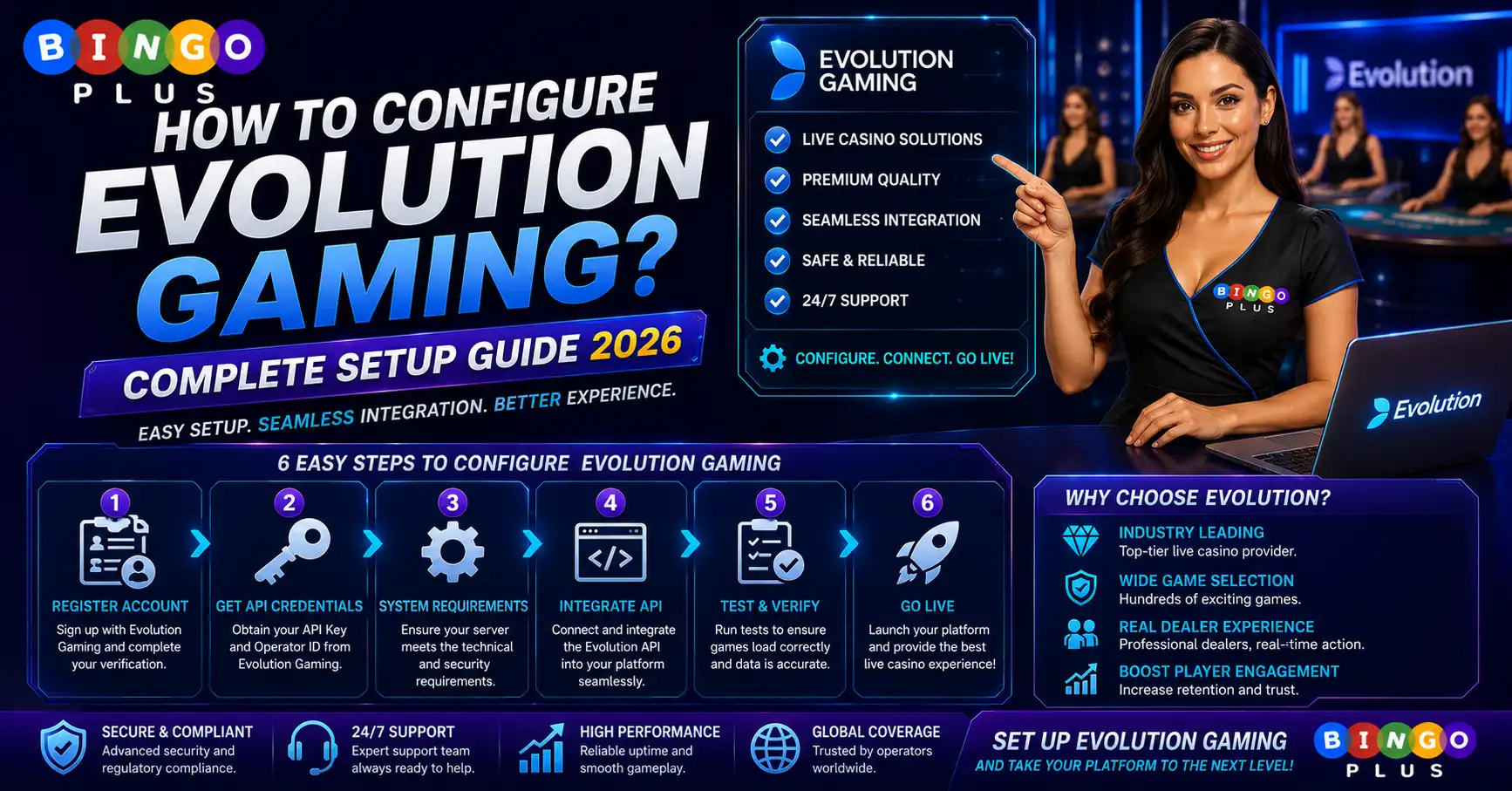
Many casino operators and platform administrators search “How to configure Evolution Gaming?” when integrating Evolution’s live casino portfolio into their gaming platform. Proper configuration is about more than enabling games—it also involves licensing, API connectivity, security, currencies, languages, responsible gaming tools, and player experience optimization.

When I evaluate an Evolution Gaming integration, I focus on three critical areas:
- A valid gaming license and approved Evolution partnership.
- Secure API integration with proper authentication and testing.
- Correct configuration of supported currencies, languages, responsible gaming tools, and payment systems.
- Click to spin for free and win the ultimate prize!
Responsible gambling features should always be enabled to help players manage their gaming activity responsibly.
What Is Evolution Gaming Integration?
Evolution Gaming supplies live dealer games, game shows, and RNG products to licensed online casino operators.
Configuration usually includes:
- API integration
- Authentication
- Game catalog
- Currency settings
- Language support
- Device compatibility
- Player account synchronization
Only licensed operators can access Evolution’s production environment.
Step 1: Obtain Licensing Approval
Before integrating Evolution, operators must hold an approved gaming license.
Common regulatory authorities include:
Malta Gaming Authority (MGA)
An MGA license provides:
- Regulatory oversight
- Compliance auditing
- Responsible gambling requirements
- Player protection standards
Curacao Gaming License
Modern Curacao licensing includes stronger operational compliance and technical standards.
PAGCOR Licensed Operators
For Philippine-facing casinos, a valid PAGCOR license helps ensure compliance with local gaming regulations.
Step 2: Configure the API
Evolution integration typically begins with secure API credentials.
Configuration usually includes:
- API endpoint
- Authentication keys
- Operator ID
- Session tokens
- Callback URLs
- Game launch parameters
Testing should always be completed in the staging environment before production deployment.
Step 3: Configure Player Settings
A complete deployment should support:
- Multiple currencies
- Multiple languages
- Time zone settings
- Player wallet integration
- Responsible gaming limits
- KYC verification
Accurate player configuration creates a smoother gaming experience.
Step 4: Enable Supported Devices
Evolution games are optimized for multiple platforms.
Typical device support includes:
- Desktop
- Android
- iPhone
- iPad
- Mobile browsers
- Tablet devices
Cross-platform compatibility helps maintain consistent gameplay across different devices.
Live Casino Mathematics
Although Evolution specializes in live dealer games rather than slot machines, understanding theoretical returns remains important.
Example:
| Live Game | Typical RTP* |
|---|---|
| European Roulette | 97.30% |
| Blackjack (Optimal Strategy) | 99%+ |
| Baccarat | 98%+ |
*Actual theoretical return depends on game rules and player decisions where applicable.
Unlike slot machines, player decisions can influence the theoretical return in games such as Blackjack.
Bonus Configuration
Operators should configure promotional rules separately from the Evolution platform.
Typical bonus settings include:
- Welcome bonuses
- Cashback
- VIP rewards
- Tournament prizes
- Free Spins (where applicable)
Always define:
- Eligible games
- Promotion period
- Wagering Requirements
- Withdrawal limits
Clear promotion rules reduce player confusion and support regulatory compliance.
Common Configuration Mistakes
I frequently encounter these implementation issues:
- Incorrect API authentication
- Unsupported currencies
- Missing KYC integration
- Incomplete mobile optimization
- Incorrect game permissions
- Inconsistent bonus configuration
Thorough testing before launch helps prevent operational problems.
My Evolution Deployment Checklist
Before launching Evolution Gaming, I verify:
- Valid gaming license
- API authentication
- Secure encryption
- Player wallet integration
- Currency configuration
- Language support
- Device compatibility
- Responsible gambling features
- KYC verification
- Production testing
Completing these steps creates a stable and secure live casino environment.
Frequently Asked Questions
How do I configure Evolution Gaming?
Configure Evolution Gaming by obtaining a valid gaming license, integrating the official API, enabling supported games, configuring currencies and languages, and completing testing before launching the production environment.
Do I need a gaming license?
Yes.
Only licensed online casino operators can officially integrate Evolution Gaming products.
Does Evolution manage casino bonuses?
No.
Bonuses are configured and managed by the casino operator rather than Evolution Gaming.
Responsible Gambling
Every Evolution integration should include responsible gambling tools such as deposit limits, session reminders, self-exclusion options, and age verification to help create a safer gaming environment.