





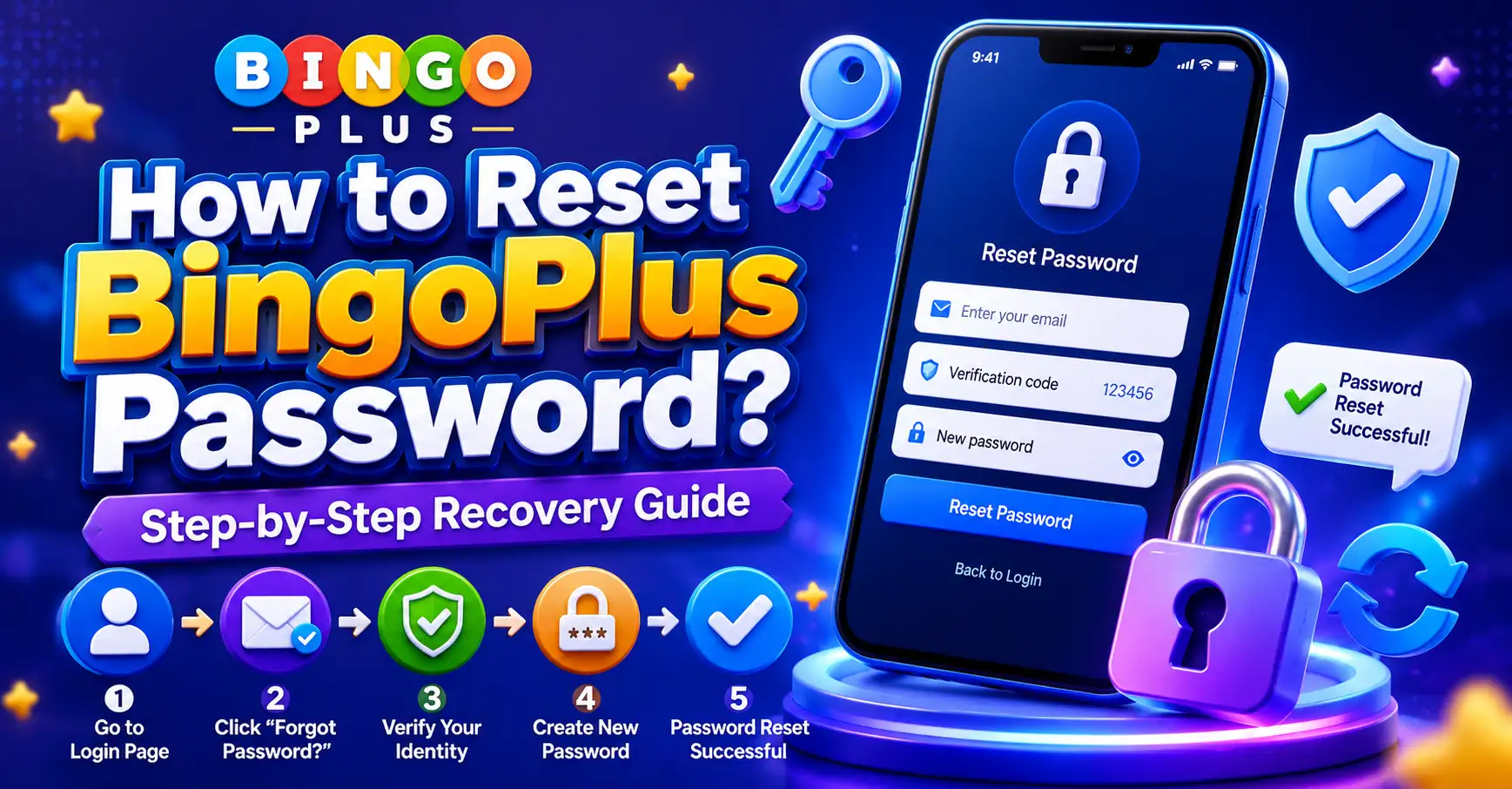
If you forgot your BingoPlus password or cannot access your account, the fastest solution is to use the password recovery feature. Most users can reset their BingoPlus password within minutes by verifying their registered mobile number or account information.
A password reset is usually required after entering incorrect credentials multiple times, changing devices, or simply forgetting login details. Fortunately, the recovery process is straightforward and designed to help users regain secure access quickly.
This guide explains how to reset a BingoPlus password, common recovery problems, practical solutions, and answers to frequently asked questions.

Core Issue Explained
Many users search for “how to reset BingoPlus password” because they cannot access their accounts.
The most common reasons include:
- Forgotten passwords
- Incorrect login credentials
- Expired saved passwords
- New device login attempts
- Security verification requests
- Click to spin for free and win the ultimate prize!
Fortunately, most password recovery issues can be solved without contacting customer support.
What Happens During Password Recovery?
The system verifies account ownership.
This helps protect users from unauthorized access.
Typical verification methods include:
- Registered mobile number
- Verification code
- Security confirmation
- Account information review
Why Password Resets Fail
Password reset requests may fail because:
- Incorrect phone number
- Delayed verification code
- Weak internet connection
- Expired recovery links
- Temporary system maintenance
Checking these items first often resolves the issue.
Is Password Recovery Safe?
Yes.
The recovery process is designed to protect account security while allowing legitimate users to regain access.
User Experience, Advantages and Disadvantages
Most users report that password recovery is simple when account information is up to date.
The process generally takes only a few minutes.
Advantages
 Fast account recovery
Mobile-friendly process
Secure verification system
Available anytime
Simple step-by-step instructions
Disadvantages
 Delayed verification codes may occur
Incorrect account details can slow recovery
Maintenance periods may temporarily affect access
Typical User Experience
Many users successfully reset their BingoPlus password by:
- Verifying their mobile number
- Entering the verification code
- Creating a new password
- Logging in immediately afterward
The process is usually completed in less than ten minutes.
Practical Tips
Follow these steps if you need to reset your BingoPlus password.
Step 1: Open the Login Page
Navigate to the login screen.
Select:
Forgot Password
This option starts the recovery process.
Step 2: Enter Account Information
Provide the registered:
- Mobile number
- Username
- Required account details
Double-check all information before submitting.
Step 3: Receive Verification Code
A verification code may be sent to your registered contact information.
Wait a few moments if the code does not arrive immediately.
Step 4: Verify Ownership
Enter the code correctly.
This confirms that you own the account.
Step 5: Create a New Password
Choose a strong password that includes:
- Uppercase letters
- Lowercase letters
- Numbers
- Special characters
Avoid using simple passwords.
Step 6: Login Using the New Password
Return to the login page.
Enter the updated password and access your account.
Helpful Security Tips
To avoid future password issues:
- Update passwords regularly
- Avoid sharing login information
- Use unique passwords
- Enable account security features
- Save passwords securely
Common Questions Summary
How do I reset my BingoPlus password?
Select “Forgot Password” on the login page and follow the verification instructions.
Why can’t I receive the verification code?
Network delays, incorrect account details, or temporary system issues may prevent code delivery.
How long does password recovery take?
Most users complete the process within a few minutes.
Can I reset my password without a registered mobile number?
Recovery options depend on account verification requirements and available account information.
Why does my new password not work?
The password may have been entered incorrectly or not saved successfully.
Can I use my old password again?
Some systems may allow it, while others require a new password for security purposes.
What should I do if the reset page is unavailable?
Wait a few minutes and try again or check whether maintenance is occurring.
Is password recovery available on mobile devices?
Yes. The recovery process is designed to work on Android and iOS devices.
When should I contact customer support?
Contact support if you cannot complete verification or access recovery options.
How can I prevent future BingoPlus password problems?
Use strong passwords, update security information regularly, and keep account details current.
Final Thoughts
Learning how to reset a BingoPlus password is important for maintaining account access and security.
Most password recovery issues are solved by using the official recovery feature, verifying account ownership, and creating a strong new password.
By following the recommended steps and keeping account information updated, users can quickly regain access and avoid future login problems.