




Using GCash with BingoPlus payment login is one of the fastest ways to access account-related payment features. Most users can connect their GCash account, complete verification, and use supported payment functions within minutes.
Many users search for how to use GCash BingoPlus payment login because they want a convenient payment method, faster account access, and secure transaction management. Understanding how account linking, verification, and payment processing work can help users avoid common issues and improve their overall experience.
This guide explains how GCash BingoPlus payment login works, its advantages and disadvantages, practical tips, and answers to frequently asked questions.

Core Issue Explained
Many users are familiar with GCash but are unsure how it works alongside BingoPlus account access.
The process is generally straightforward.
Users typically need:
- A registered BingoPlus account
- An active GCash account
- Verified account information
- Stable internet access
- Click to spin for free and win the ultimate prize!
Proper account setup helps reduce login and payment issues.
What Is GCash BingoPlus Payment Login?
GCash BingoPlus payment login refers to accessing account-related payment functions through a verified BingoPlus account while using GCash as a supported payment method.
Many users prefer this method because it is convenient and mobile-friendly.
Why Do Users Choose GCash?
GCash is popular because it offers:
- Quick transactions
- Mobile accessibility
- Simple account management
- Secure verification features
These benefits make it a common choice among mobile users.
What Is Required Before Using GCash?
Users should ensure:
- GCash account is active
- Account information is correct
- Mobile number is accessible
- Verification requirements are completed
Preparation helps prevent transaction delays.
User Experience and Pros & Cons
Most users report a smooth experience when account details are accurate and verification requirements are complete.
Mobile access is one of the biggest advantages.
Advantages
 Fast account access
Convenient mobile payments
Simple verification process
Widely used payment option
Easy account management
Disadvantages
 Verification may take time
Network interruptions can affect transactions
Incorrect information may cause delays
Temporary service issues may occur
Typical User Experience
Most users complete setup successfully by:
- Logging into BingoPlus
- Accessing payment settings
- Linking GCash information
- Completing verification
The process is usually completed quickly.
Practical Tips
Follow these recommendations when using GCash BingoPlus payment login.
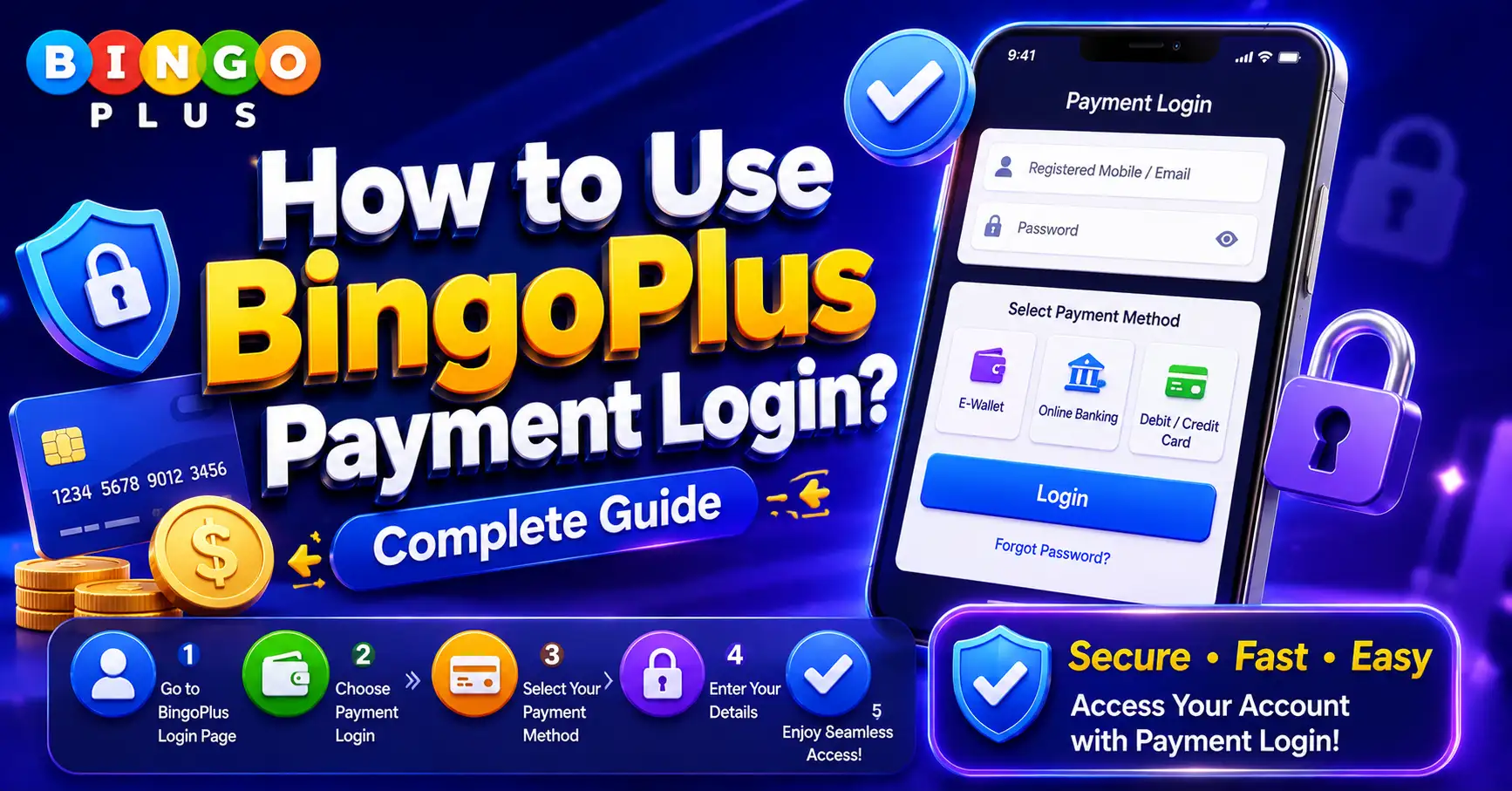
Step 1: Login to Your BingoPlus Account
Access your account using:
- Registered mobile number
- Username
- Password
Ensure login details are correct.
Step 2: Navigate to Payment Settings
Locate the payment or wallet section.
Review available payment options.
Step 3: Select GCash
Choose GCash from the supported payment methods.
Follow the setup instructions.
Step 4: Complete Verification
Verification may require:
- Mobile confirmation
- Account authentication
- Security confirmation
Complete all requested steps.
Step 5: Confirm Account Linking
Review account details carefully.
Ensure information matches your GCash account.
Step 6: Test Account Functionality
Verify that payment-related functions are working correctly.
Check transaction history if available.
Common Mistakes to Avoid
Avoid:
- Entering incorrect mobile numbers
- Using unverified accounts
- Ignoring verification requests
- Using unstable internet connections
These issues commonly cause delays.
Best Practices
For the best experience:
- Keep account information updated
- Verify both accounts
- Use trusted devices
- Maintain a stable connection
Common Questions Summary
How do I use GCash with BingoPlus payment login?
Login to your BingoPlus account, access payment settings, select GCash, and complete the verification process.
Do I need a verified GCash account?
Verification requirements may apply depending on account status and available features.
Why is my GCash account not linking?
Incorrect information, incomplete verification, or temporary service issues may prevent successful linking.
Can I access GCash functions on mobile devices?
Yes. Mobile devices commonly support both GCash and BingoPlus account access.
What should I do if verification fails?
Review your account information and ensure all required details are accurate.
Why is my payment processing slowly?
Network issues, verification checks, or temporary system delays may affect processing times.
Can I use multiple GCash accounts?
Account usage policies may vary depending on platform requirements and verification status.
Is GCash BingoPlus payment login secure?
Yes. Security measures and account verification help protect user information.
How long does account linking take?
Most users complete linking within a few minutes when all information is accurate.
What is the fastest way to use GCash with BingoPlus?
Use verified accounts, accurate information, stable internet access, and complete all verification steps.
Final Thoughts
Learning how to use GCash BingoPlus payment login is important for users who want a fast and convenient payment experience.
Most users can complete setup quickly by linking verified accounts, following verification requirements, and maintaining accurate account information.
By following best practices and avoiding common mistakes, users can enjoy smoother account access and a more reliable payment experience.